
BAY888 Withdrawal Guide for Philippine Users
At BAY888, we want every member to understand the withdrawal process before pressing Submit. A cash-out request is easier to handle when your account details are complete, the payment destination is correct, and you have checked whether an active promotion has conditions attached to your balance.
This guide is prepared for readers accessing BAY888 information through tara777ph.net. Before making any payment decision, open the current Member Center after logging in and use only the instructions shown in your active Cashier page.
Quick answer: check your available balance, review active promotion terms, enter the correct withdrawal details, submit one request, then monitor Transaction History before creating another request.
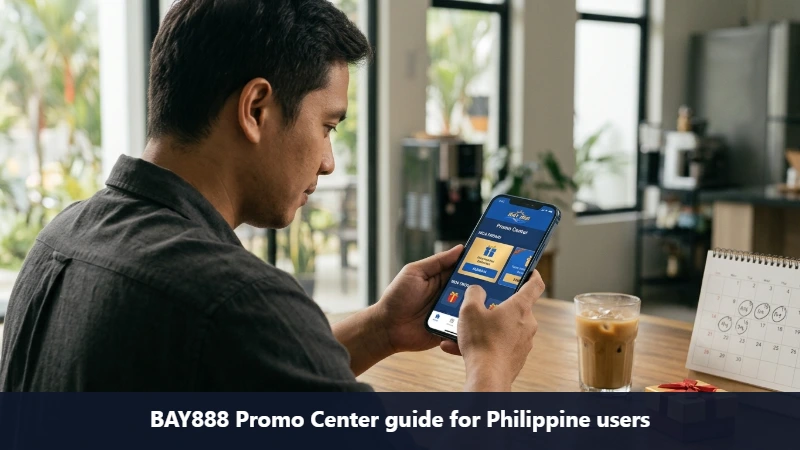
What to check before requesting a withdrawal
Do not start with the withdrawal form immediately. First, open your BAY888 Member Center and review the account details connected to the request.
Your withdrawal can be affected by:
- Available balance in the account
- Current Cashier limits and instructions
- The payment method selected
- Details of the receiving account or wallet
- Active bonus or promotion conditions
- Account security or verification requirements
- A previous withdrawal request that is still pending
The exact minimum, maximum, supported methods, and processing conditions are shown in Cashier. These details can change, so users should not rely on old screenshots or payment details sent through unofficial messages.
| BAY888 area | Why you should review it |
| Profile | Confirms your contact and account information |
| Cashier | Shows the current withdrawal options and request fields |
| Transaction History | Lets you see pending, successful, rejected, or cancelled requests |
| Promo Center | Explains whether a bonus includes turnover or other conditions |
| Support Desk | Where you can submit a complete question with a request ID |
| Responsible Play | Helps you manage your activity and take a break if needed |
Kung first withdrawal mo ito, take time to check every field. A two-minute review can prevent an incorrect destination account or duplicate request.
How to submit a BAY888 withdrawal request
The basic flow is simple, but accuracy matters.
- Log in to your BAY888 account.
- Open Member Center.
- Select Cashier.
- Choose Withdrawal.
- Check the current available balance.
- Select an available withdrawal method.
- Enter the amount carefully.
- Review the receiving account or wallet details.
- Check whether a promotion applies to the balance.
- Submit one withdrawal request.
- Save the request ID shown on screen.
- Open Transaction History to monitor the status.
After submission, do not repeatedly refresh the page or create another cash-out request without checking the first one. Multiple requests can make it harder to understand which record belongs to which transaction.
Complete the withdrawal form carefully
The exact layout may differ based on the payment method displayed in Cashier, but the core fields usually follow the same logic.
| Form field | What to check |
| Withdrawal method | Choose only from the methods currently available in your logged-in Cashier |
| Withdrawal amount | Enter the exact amount you intend to request |
| Account or wallet name | Review the spelling and ownership details |
| Account number or wallet number | Compare each digit before submitting |
| Mobile number | Use the active contact number connected to your account |
| Verification code | Enter it only inside the official BAY888 process; never share it with another person |
| Request note | Add a short note only if the form requires it |
Never share your password, OTP, or full security code with anyone claiming to “speed up” a withdrawal. BAY888 users should keep account credentials private.
Understand the difference between total balance and available balance
A common question from new users is: “Why can I see a balance, but I cannot withdraw the whole amount?”
The answer is usually inside the account details. A displayed total may include funds connected to an active promotion, a pending game round, or another condition that needs to be completed or reviewed first. The current Cashier and Promo Center information is the reference to check.
Before submitting, look for:
- Available balance
- Locked or bonus-related balance, if displayed
- Pending game activity
- Active promotion status
- Turnover or wagering requirement
- Maximum withdrawal condition, if listed
- Expiry date of a promotion
Do not assume that every promotion works in the same way. Read the live terms before you opt in. If the condition is unclear, ask Support first. Mas madaling magtanong bago mag-submit kaysa maghabol ng explanation pagkatapos ma-reject ang request.
Promotion terms can affect a withdrawal
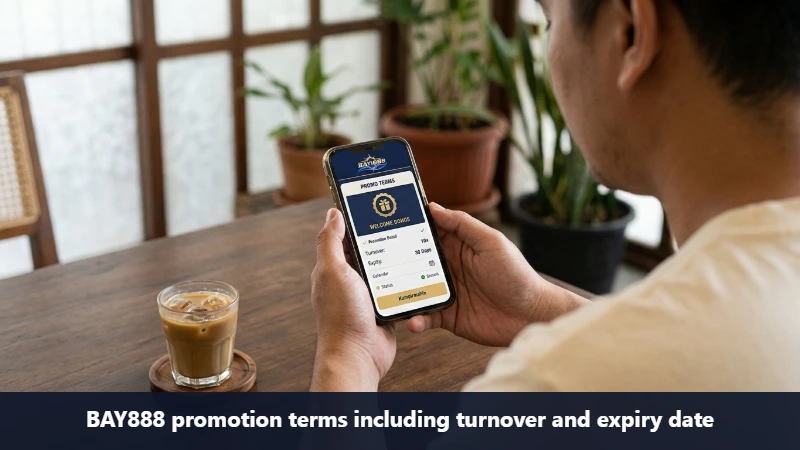
A bonus may be useful for some users, but it can also include rules that affect when funds become eligible for withdrawal. This is why Promo Center should be checked before you claim an offer.
Read the current terms for:
| Promo detail | Why it matters |
| Eligibility | Confirms who can join the offer |
| Deposit condition | Explains whether a deposit is required |
| Turnover requirement | Shows any play-through condition before withdrawal |
| Eligible games | Identifies games that may or may not count |
| Game contribution | Shows whether categories contribute differently |
| Expiry date | Tells you how long the offer remains active |
| Maximum withdrawal | Lists any limit that applies to bonus-derived funds |
| Cancellation rule | Explains whether and how a promotion can be removed |
A clear promotion decision should be intentional. Do not opt in just because the banner looks attractive. If you prefer a straightforward withdrawal path, review the offer first and decide whether its rules fit your plan.
Check Transaction History after every request
Transaction History is your record of what happened after you submitted a withdrawal. It is the first place to look when you need to know whether the request is still being processed or whether a specific action is required.
| Status | Meaning for the user | Best next step |
| Pending | The request is still in process or review | Wait and do not submit a duplicate request |
| Successful | The request has been recorded as completed | Check the receiving account or wallet details |
| Rejected | The request could not proceed under the current conditions | Read the reason and correct the relevant detail |
| Cancelled | The request was stopped before completion | Confirm why it was cancelled before creating a new one |
| Under review | The request requires further checking | Keep your request ID and supporting details ready |
A pending status does not automatically mean there is a problem. The right action is to wait for the current process, review the displayed record, and contact Support only when the available information indicates that help is needed.
What details should you keep?
Every BAY888 withdrawal request should leave a clear paper trail for your own reference. Save these details until the status is final:
- BAY888 username
- Withdrawal request ID
- Requested amount
- Date and time submitted
- Payment method selected
- Receiving account or wallet information
- Screenshot of the request confirmation, if available
- Any support-ticket number related to the request
This does not mean you should share all information publicly. Keep screenshots private because they can contain personal account data.
Common withdrawal issues and how to avoid them
Entering the wrong receiving details
A single wrong digit can create a serious problem. Before submitting, read the destination number slowly and compare it with your intended account. Do not copy details from a random chat thread or old screenshot.
Submitting duplicate requests
If a request is pending, check Transaction History before creating another withdrawal. Duplicate submissions can make your records unclear and may create unnecessary follow-up.
Ignoring active promotion terms
If you joined a promotion, verify whether it has turnover, expiry, game-contribution, or maximum-withdrawal rules. The current Promo Center page is the correct source.
Not saving the request ID
The request ID is one of the fastest ways for Support to locate the correct record. Save it immediately after submission.
Asking Support without transaction details
“Withdrawal pending po” is difficult to investigate by itself. Include the username, request ID, amount, time submitted, and a brief description of the issue.
How to contact BAY888 Support correctly
The Support Desk can assist more effectively when the report is complete and factual. Before creating a ticket, check Transaction History so you can describe the exact status shown.
Use this format:
| Support-ticket field | What to enter |
| Subject | Withdrawal pending, withdrawal rejected, or destination-account question |
| Username | Your BAY888 username |
| Request ID | The ID shown in Transaction History |
| Amount | Exact withdrawal amount |
| Submission time | Date and time shown in the record |
| Current status | Pending, rejected, under review, or another displayed status |
| Description | Short explanation of the issue |
| Attachment | Relevant confirmation screenshot, with sensitive details protected if possible |
Example message:
Withdrawal request status check.
Username: [your username]
Request ID: [request ID]
Amount: [amount]
Submitted: [date and time]
Current status: Pending
Please help me check whether any further action is needed.
Keep the message calm and specific. It helps the support team understand your case without asking several follow-up questions.
Account safety while waiting for a withdrawal
Waiting for a status update can make people vulnerable to scams. Someone may message you claiming they can release the funds if you send an OTP, fee, password, or another payment. Do not act on pressure messages.
Use these safety rules:
- Never share a password or OTP
- Do not pay an outside person to “unlock” a withdrawal
- Do not trust copied payment details from an old post
- Use only the logged-in BAY888 Member Center for current instructions
- Keep transaction receipts private
- Avoid public Wi-Fi when handling account or payment information
- Log out after using a shared device
- Contact Support through the official platform route when uncertain
If something feels rushed or unusual, stop. Open the account yourself, check Transaction History, and verify the request record before responding to anyone.
Responsible play comes before chasing a withdrawal
A withdrawal request should not become a reason to continue playing beyond your budget. BAY888 is intended as entertainment for adults, not as a way to solve financial pressure.
Before you play or deposit, set a limit you can comfortably afford. If you feel stressed, frustrated, or tempted to chase a loss, pause the session. Check the Responsible Play section or contact Support if you need guidance about account-control options.
FAQs about BAY888 withdrawals
1. Why is my withdrawal still pending?
A pending request may still be in the current processing flow or under review. Check Transaction History, save the request ID, and do not create a duplicate request unless the status or Support instructions tell you to do so.
2. Why can’t I withdraw my full balance?
Check the available balance, any active promotion conditions, and the current Cashier rules. A total balance may include funds affected by bonus rules or other displayed conditions.
3. Can I use someone else’s payment account for withdrawal?
Follow the current account and Cashier requirements shown after login. Using mismatched payment details can create a review issue, so check the rules before submitting.
4. What should I do if my withdrawal is rejected?
Read the reason shown in Transaction History or Cashier. Correct the relevant detail if possible, then submit again only when the account information and current conditions are clear.
5. What information should I send to Support?
Provide your username, request ID, amount, date and time, displayed status, and a brief explanation. Do not send your password or OTP.
6. Is BAY888 available to users under 18?
No. BAY888 is for adults only. Users should follow applicable local laws and make responsible decisions.
Final reminder
The cleanest BAY888 withdrawal process is: check your account, understand your balance, review promotion terms, submit one accurate request, and follow Transaction History before taking another action.
If you return through tara777ph.net, still complete the same final check inside the live BAY888 Member Center. Use the current Cashier details, protect your account information, and ask Support with a request ID whenever you need clarification.